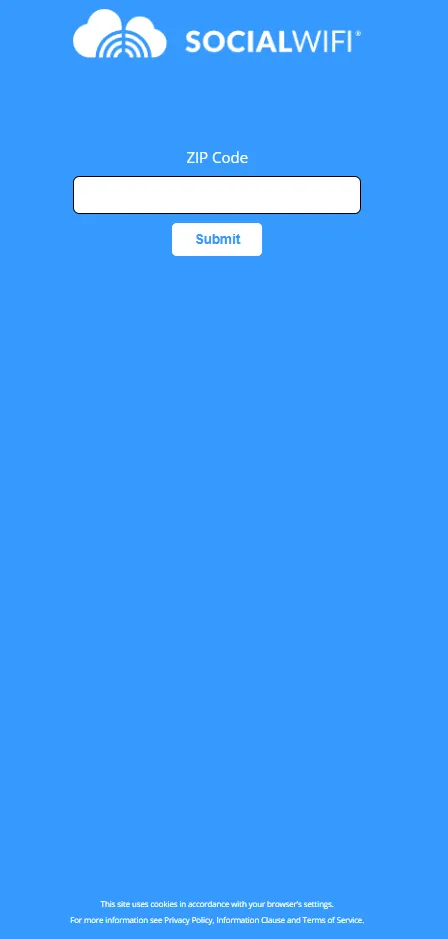
How to ask a user for their ZIP code during WiFi login?
Ta treść nie jest jeszcze dostępna w Twoim języku.
If you’d like to ask WiFi users to provide their ZIP code when logging in, you can do so very simply using the Custom Questions feature in the Dashboard.
1. In the Dashboard main menu, press User Data and find Custom Questions in the dropdown menu that will appear.

2. Press Add Question at the top of the page.

3. A new tab will show up. To ask for a ZIP code, choose the Text Input option. In the Settings tab below, tick Field Required if you’d like this questions to be mandatory, and Active to make sure the question will show up during login. Don’t select Numeric Characters Only, as it will prevent users from typing in ZIP+4 Codes with a hyphen.
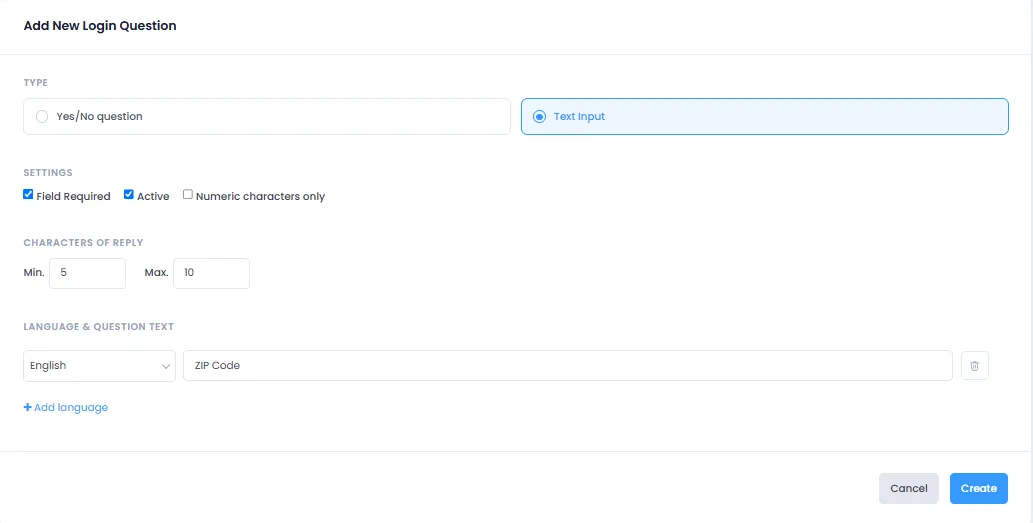
4. In the Characters of Reply tab, set 5 as the minimum (ZIP Code) and 10 as the maximum (ZIP+4 code including hyphen).
5. Press Add Language, select English and type in the exact question you would like to ask. For this example, the text will be “ZIP Code”. You can also add other language versions of the question if you wish to do so.
6. When you’re happy with the setup, click Create at the bottom of the page. Your question will now show up in the Custom Questions list.

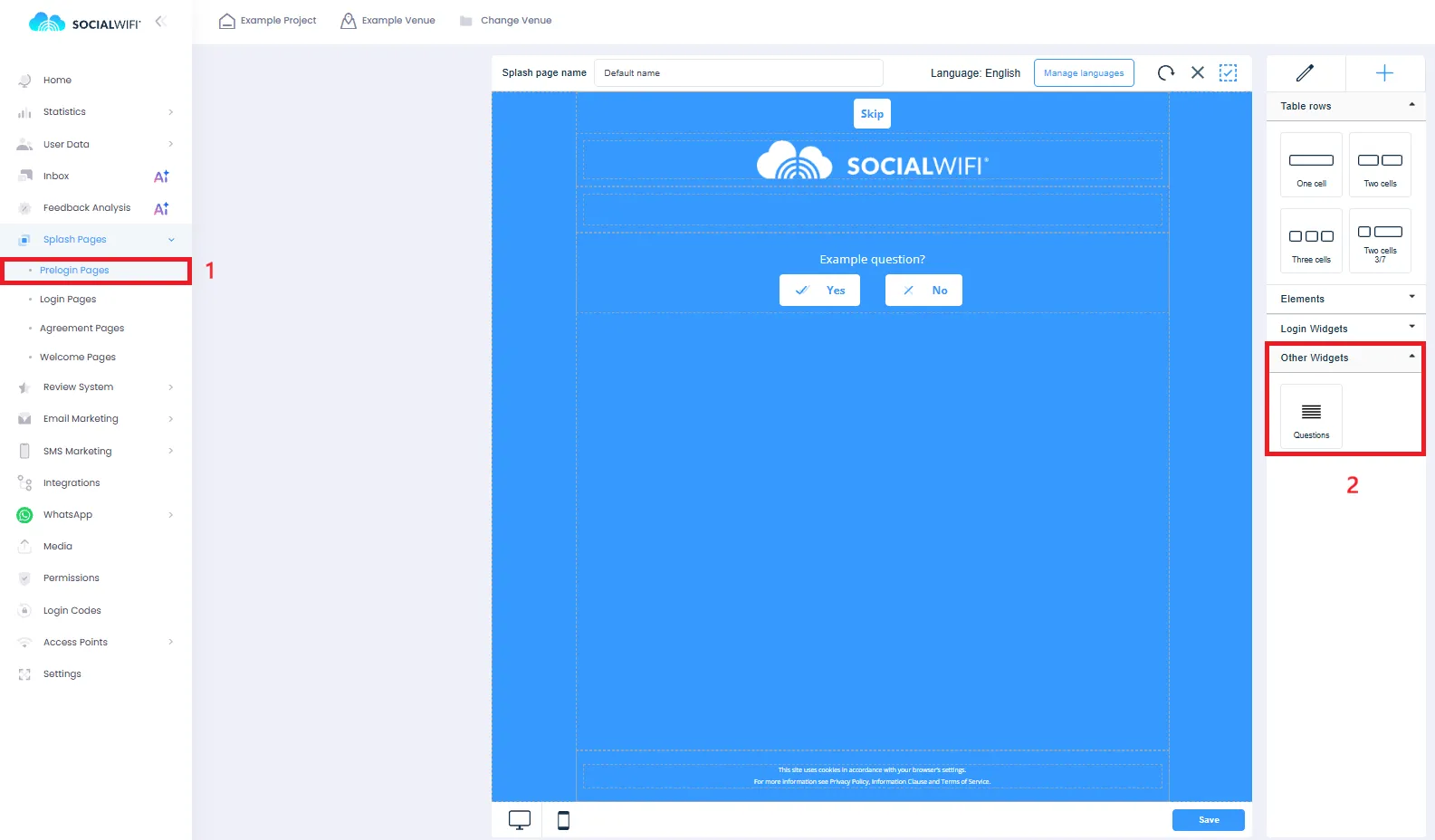
7. You will need to add your question to the relevant part of the login process - it can be placed either on the Prelogin Page or the Login Page. For this example, we will use the Prelogin Page.
8. Go to the Splash Pages tab and open the relevant page (1). Then, in the menu on the right side of the editor, find Questions in the Other Widgets tab (2). Drag the widget onto the page and Save your changes.
Users will now be asked for their ZIP Code on the Prelogin Page or Login Page (depending on your choice).