
EnGenius
Compatibilidad
Social WiFi ha sido probado y se ha verificado que funciona en:
- EnGenius ECW520, versión de firmware 1.10.103
Dirección MAC del Punto de Acceso
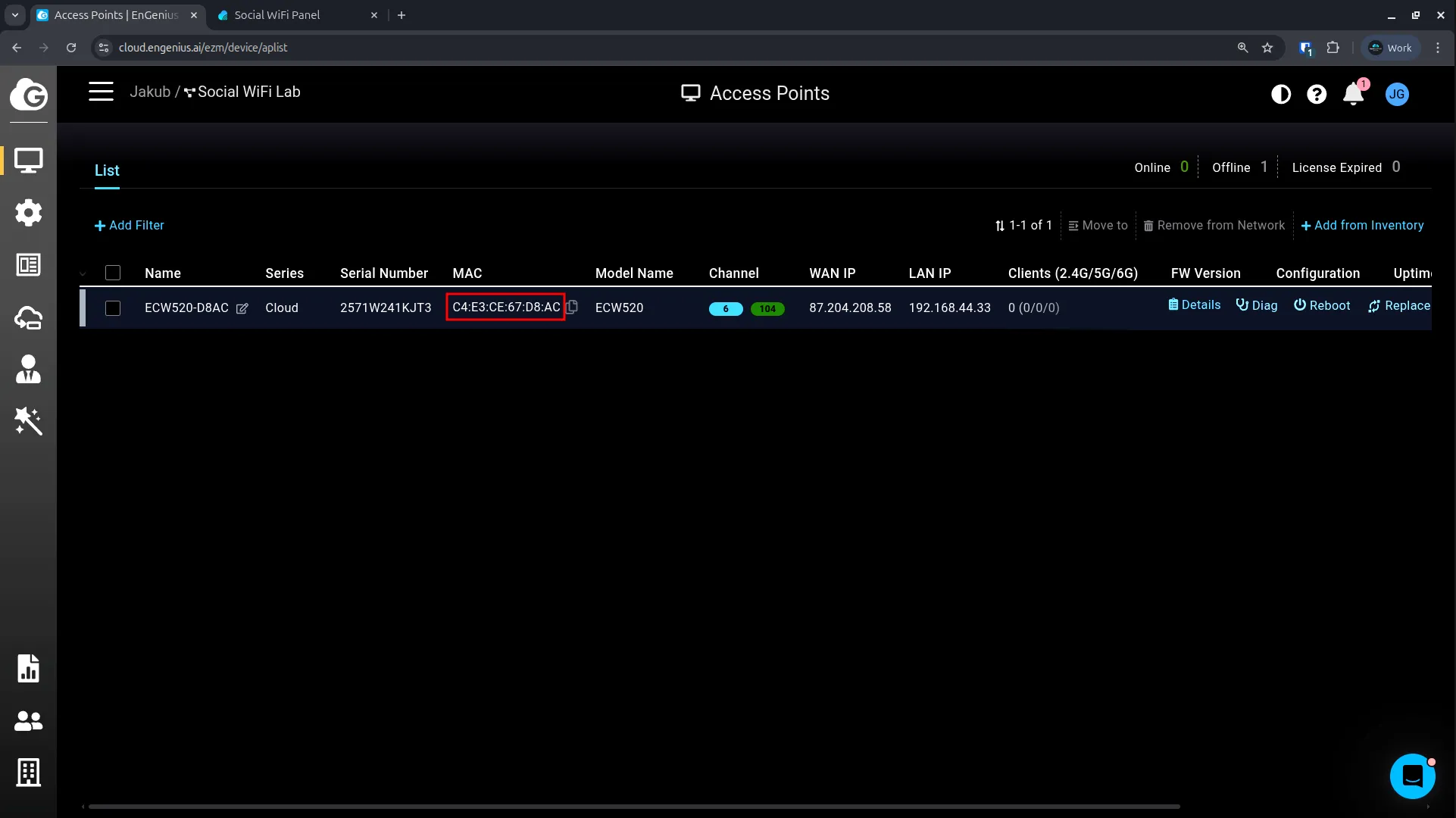
- Inicie sesión en el portal de EnGenius Cloud.
- Navegue a Manage -> Access Point.
- Copie la dirección MAC del punto de acceso.
Configuración del Panel de Social WiFi
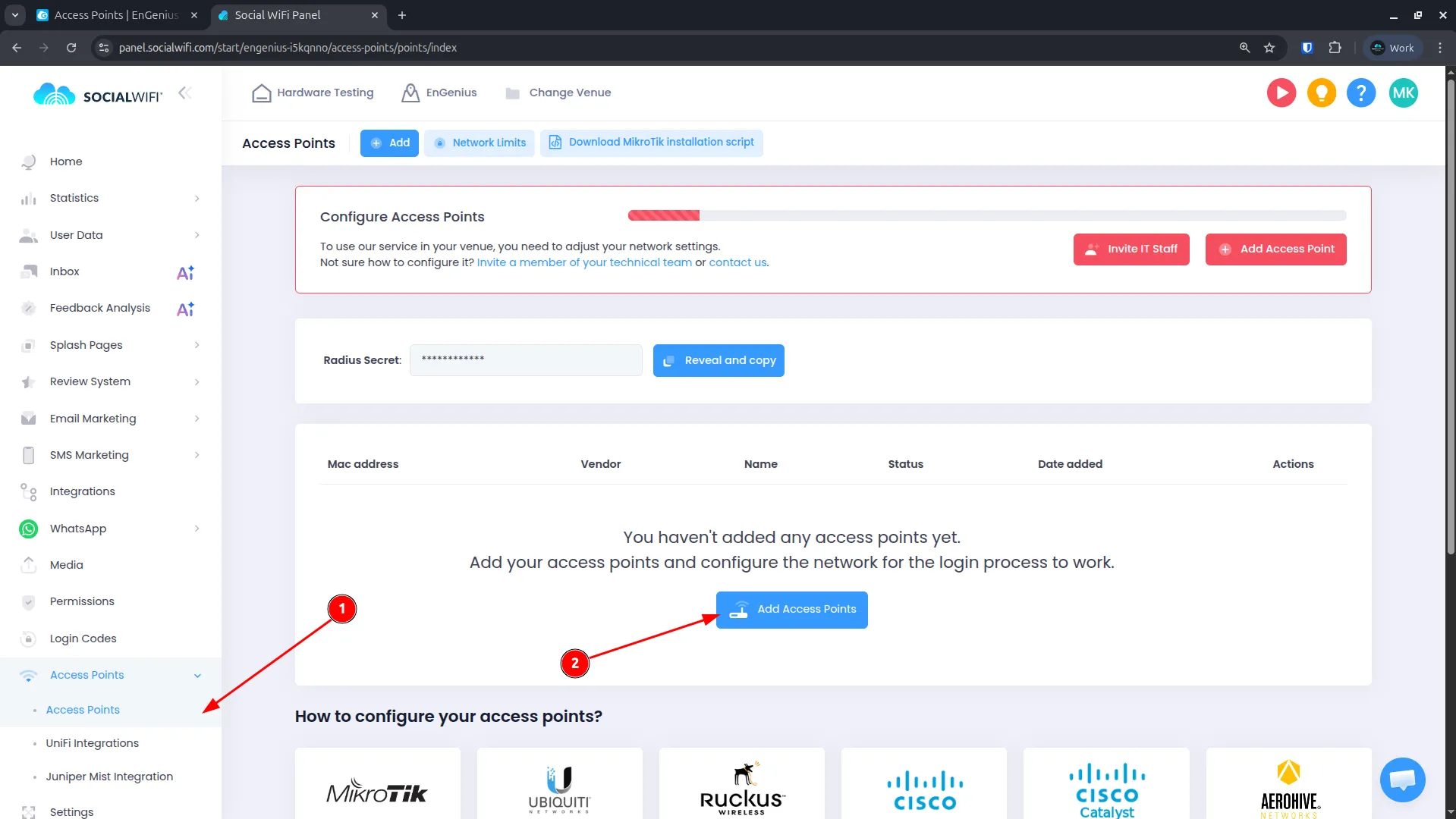
- Inicie sesión en el Panel de Social WiFi.
- Navegue a Puntos de acceso.
- Haga clic en Añadir punto de acceso.
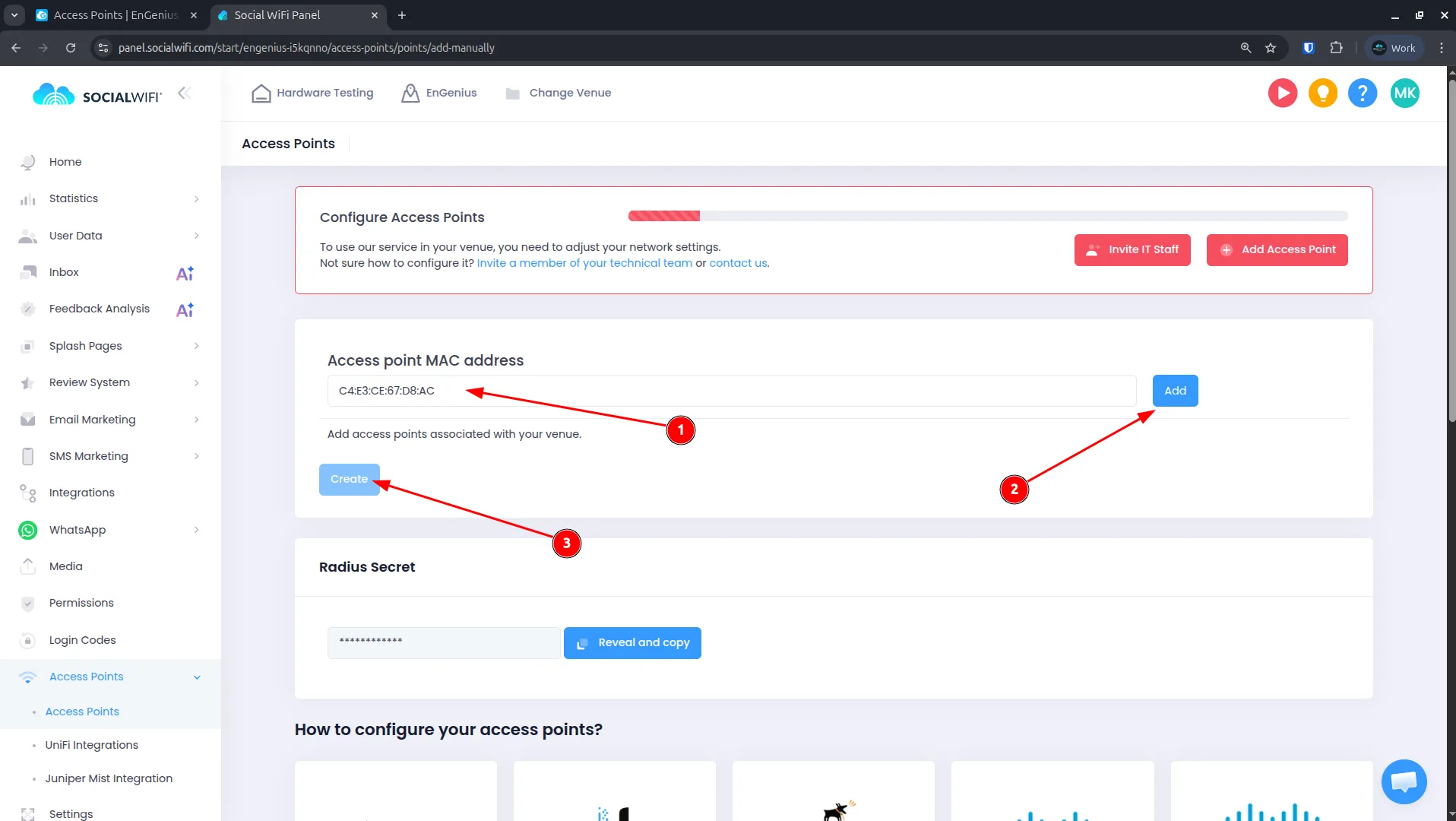
-
Pegue la dirección MAC copiada desde el portal de EnGenius.
-
Haga clic en Añadir y luego en Crear.
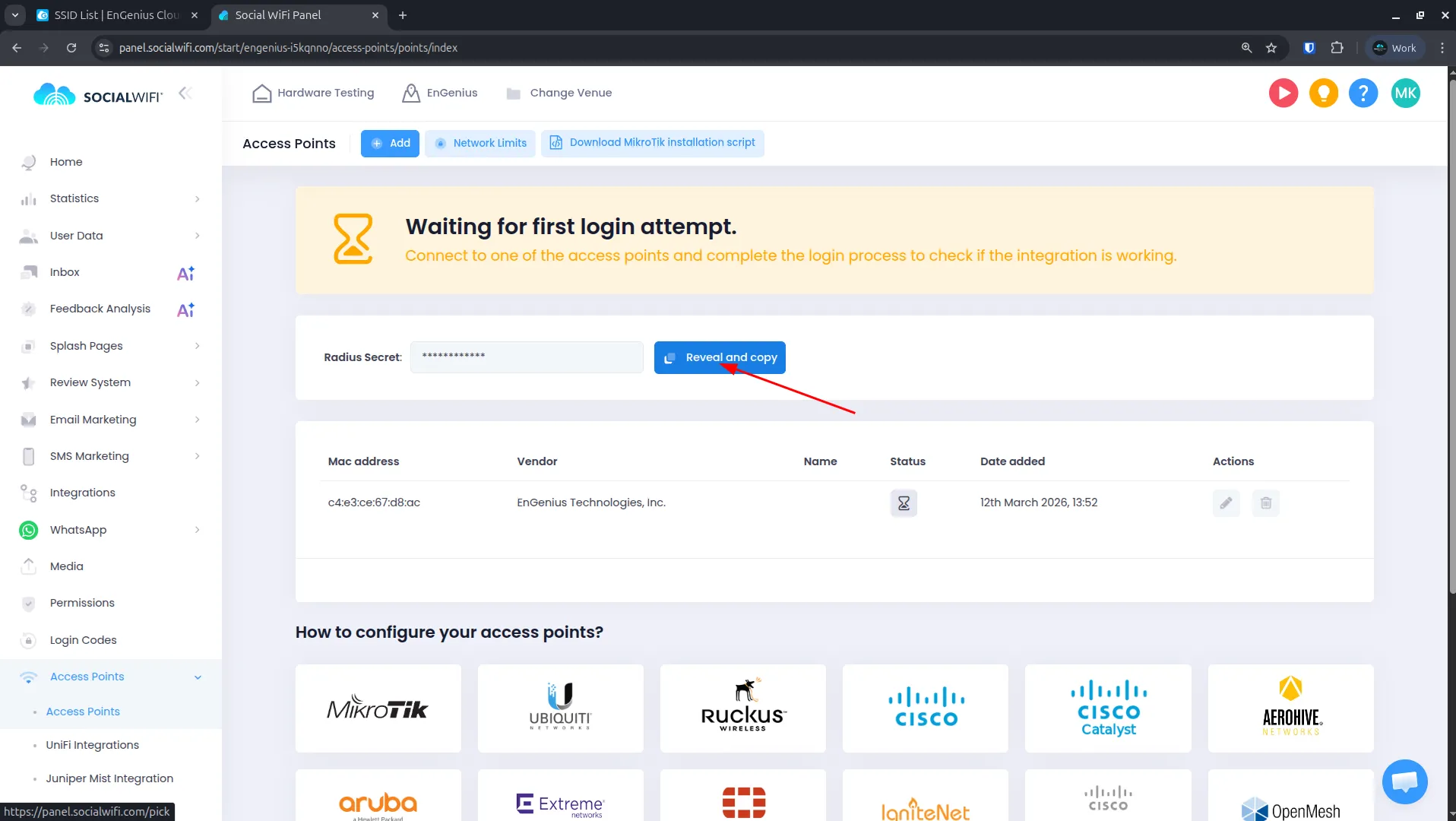
- Después de añadir el punto de acceso, copie el RADIUS Secret proporcionado. Lo necesitará en uno de los siguientes pasos.
Configuración del SSID
Regrese al portal de EnGenius Cloud.
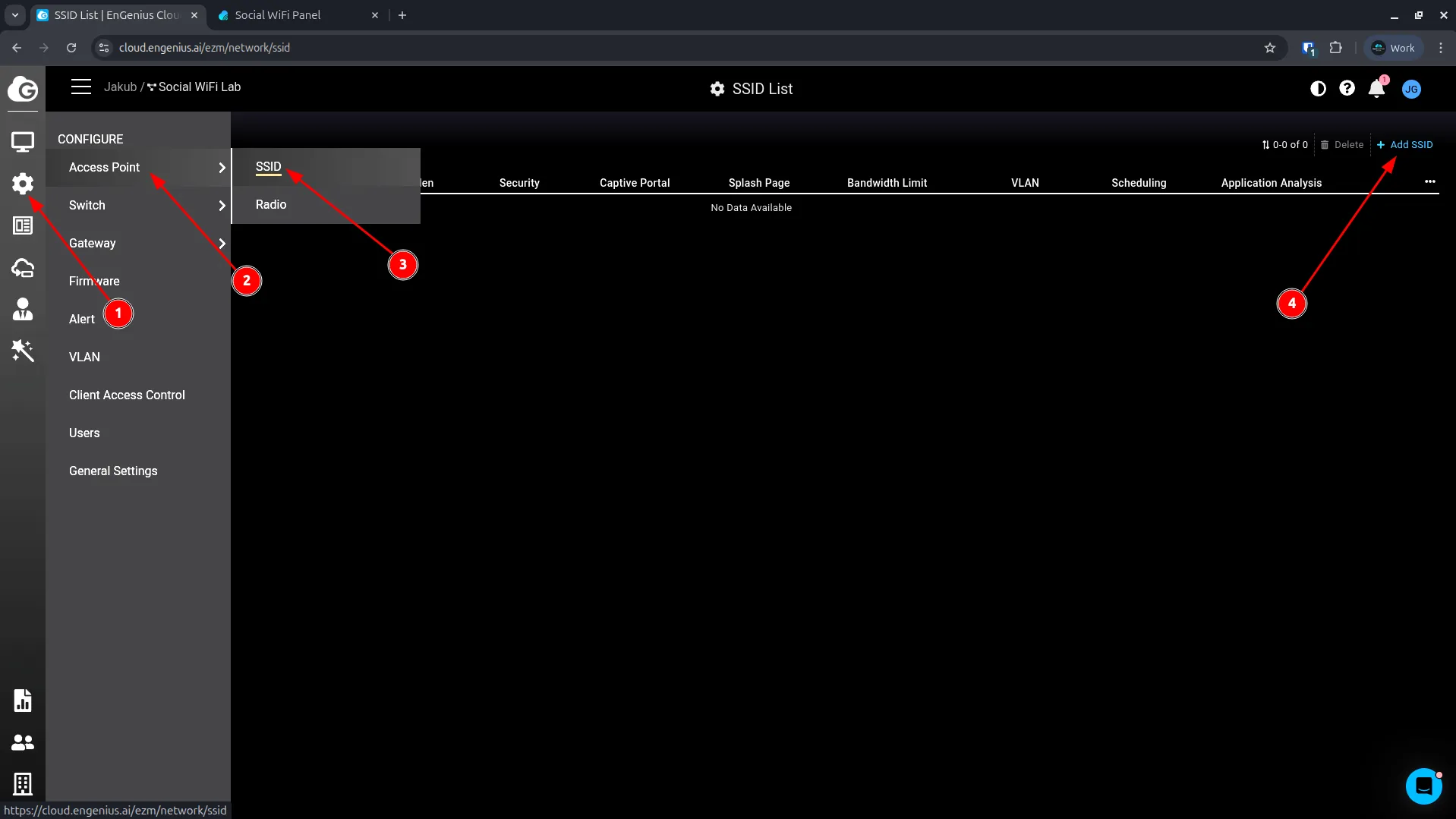
- Navegue a Configure -> Access Point -> SSID.
- Haga clic en Add SSID para crear uno nuevo o edite uno existente.
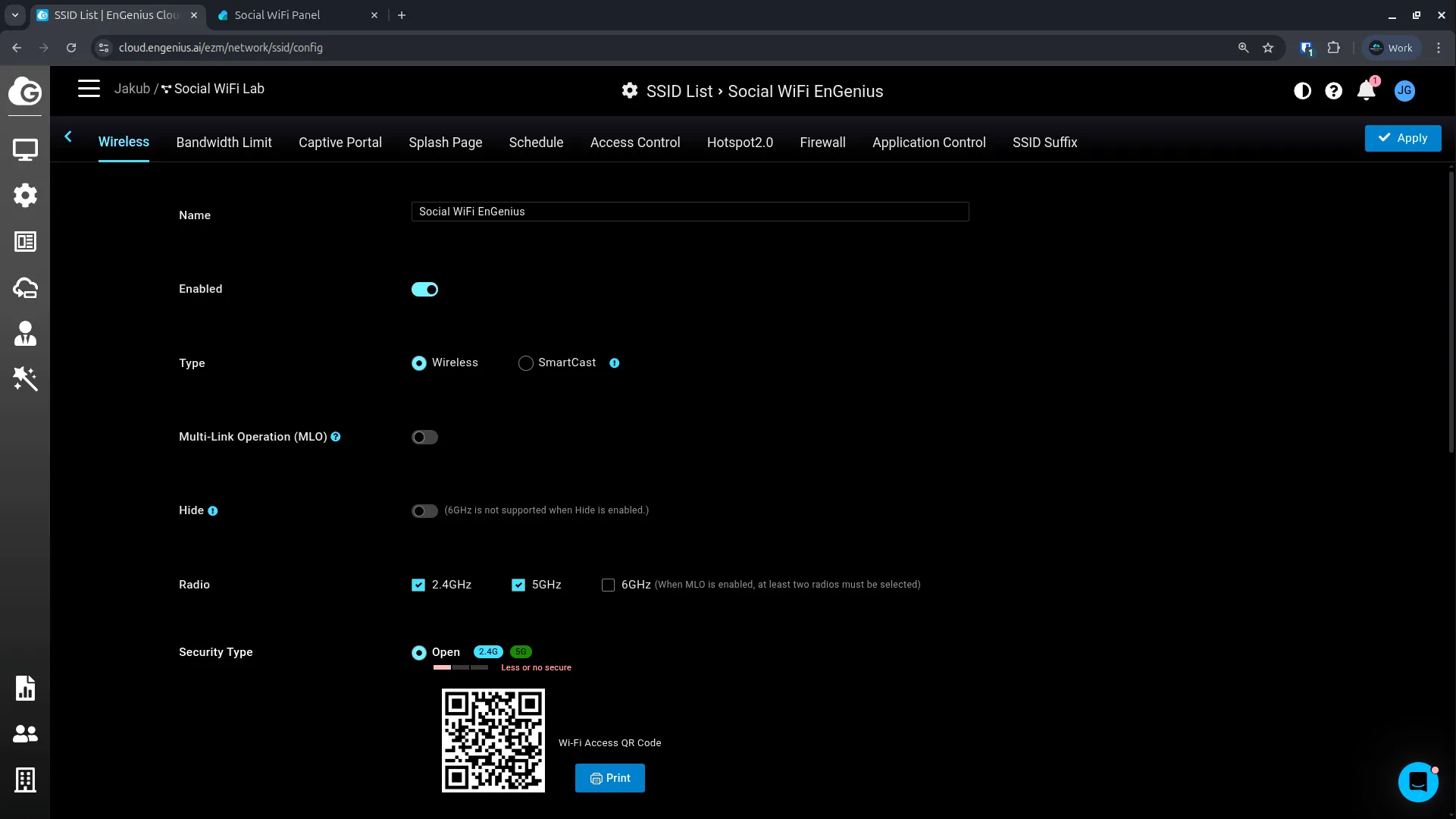
Configuración inalámbrica
Utilice la siguiente configuración:
| Name | Display name for the Guest WiFi |
|---|---|
| Enabled | Enabled |
| Type | Wireless |
| Security Type | Open |
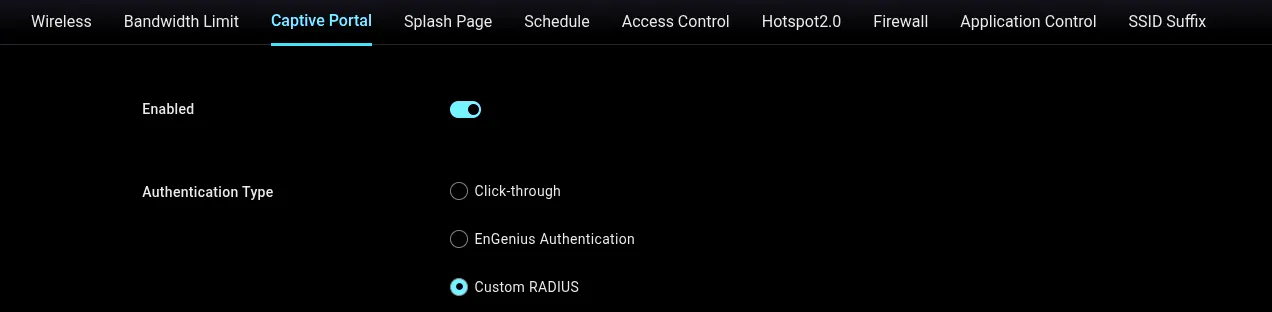
Configuración del portal cautivo
Navegue a la configuración de Captive Portal y utilice los siguientes ajustes:
| Enabled | Enabled |
|---|---|
| Authentication Type | Custom RADIUS |
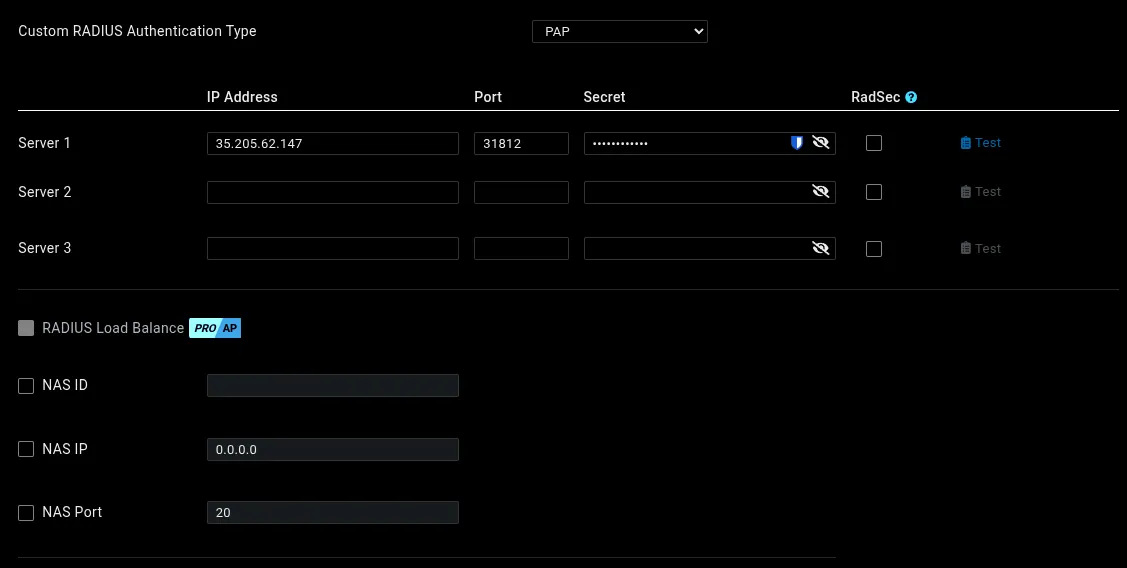
Servidor RADIUS:
| Custom RADIUS Authentication Type | PAP |
|---|---|
| Server 1 IP Address | 35.205.62.147 |
| Server 1 Port | 31812 |
| Server 1 Secret | Pegue su RADIUS Secret |
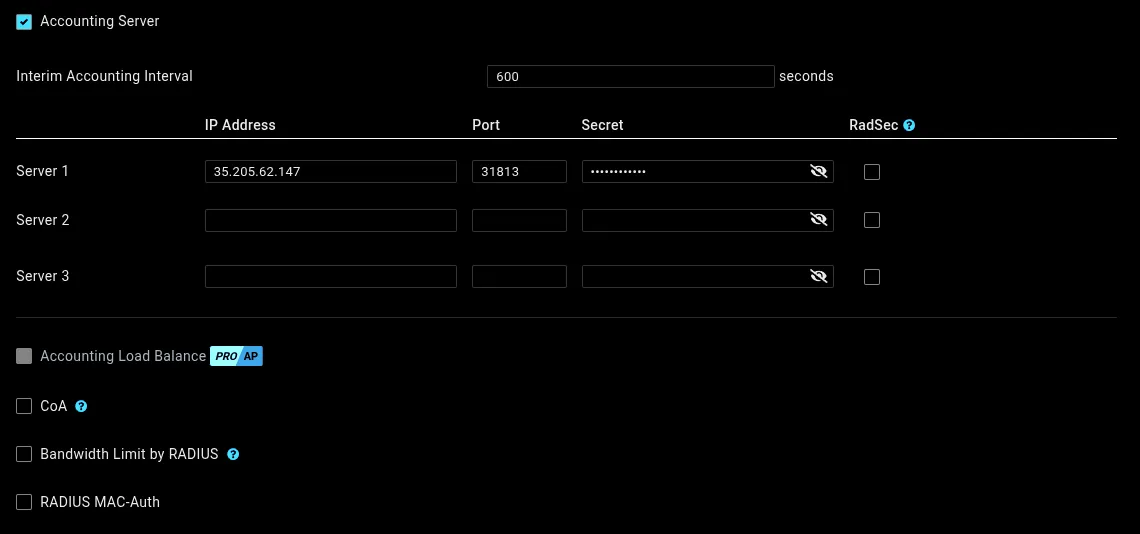
Servidor de contabilidad (Accounting):
| Accounting Server | Enabled |
|---|---|
| Server 1 IP Address | 35.205.62.147 |
| Server 1 Port | 31813 |
| Server 1 Secret | Pegue su RADIUS Secret |
URL de redirección:
Configúrelo en Redirect to the URL that the user was trying to visit. Esto asegura que la Pantalla de bienvenida aparezca correctamente y que el punto de acceso pueda verificar si el cliente fue autorizado con éxito.

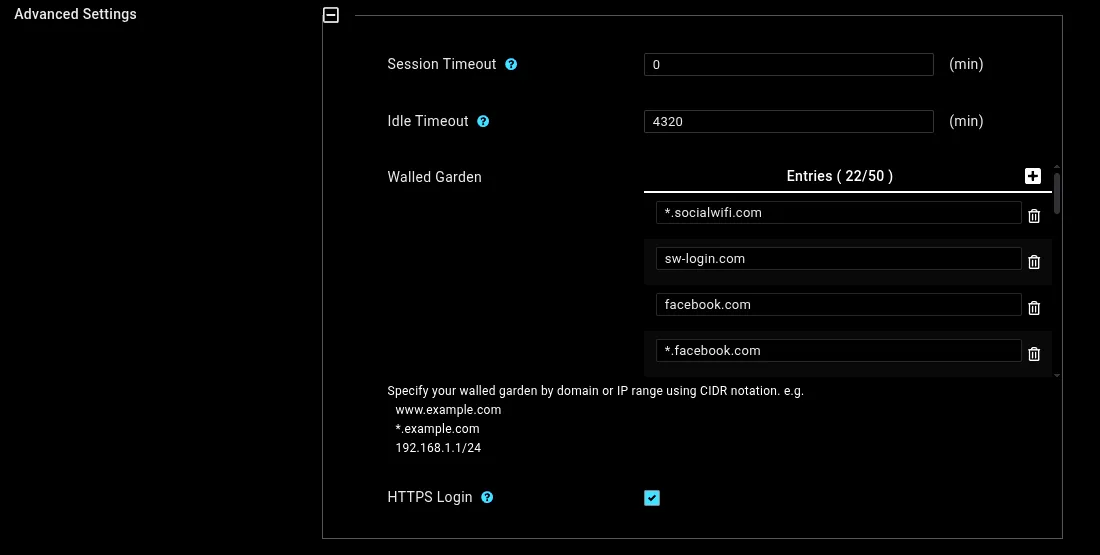
Configuración avanzada:
- Session Timeout:
0 - Idle Timeout: Establezca en 4320 minutos (3 días). Esto controla cuándo se requiere que los usuarios vuelvan a iniciar sesión.
Lista de excepciones (Walled Garden): Añada los siguientes dominios:
*.socialwifi.comsw-login.comfacebook.com*.facebook.com*.fbcdn.netlinkedin.com*.linkedin.com*.licdn.comtwitter.comapi.twitter.comx.comapi.x.com*.twimg.comwhatsapp.com*.whatsapp.net*.whatsapp.comconnect.facebook.netwww.facebook.comwww.googletagmanager.comwww.googleadservices.comgoogleads.g.doubleclick.net*.youtube.com*.ytimg.com*.googlevideo.comyt3.ggpht.com- HTTPS Login: Déjelo Enabled.
Pestaña Splash Page
| Splash Page Type | External Splash Page URL |
|---|---|
| External URL | http://login.socialwifi.com/ |

Haga clic en Apply para guardar la configuración del SSID.
Probar la solución
- Conecte un dispositivo cliente a la red WiFi de invitados. La página de inicio de sesión debería cargarse automáticamente.
- Complete el proceso de inicio de sesión.
- Confirme que tiene acceso a Internet después de iniciar sesión.
- Abra el Panel de Social WiFi y verifique que la conexión y el inicio de sesión se muestren en el gráfico de Estadísticas > Dispositivos.