
Finding and using the Advanced Email Editor
Esta página aún no está disponible en tu idioma.
If you want to create your own custom Email Automation or Bulk Campaign, our Advanced Email Editor is the way to go. It will allow you to create an email from scratch or select from one of the pre-existing templates (it can be edited later). This function will allow you to create a much more customizable and in-depth email than the default templates.
How to access the Advanced Email Editor?
To use the Advanced Mode of our email editor, you will first need to choose if you’d like to create an Email Automation or Bulk Campaign. For this example, we will use an Email Automation.
The process and editor are the same for Bulk Campaigns, you will just need to choose the corresponding tab at the beginning of the process.
1) Find the Email Marketing tab in the main menu on the left side of the Dashboard.
2) Choose between the Email Automations and Bulk Campaigns subtabs.
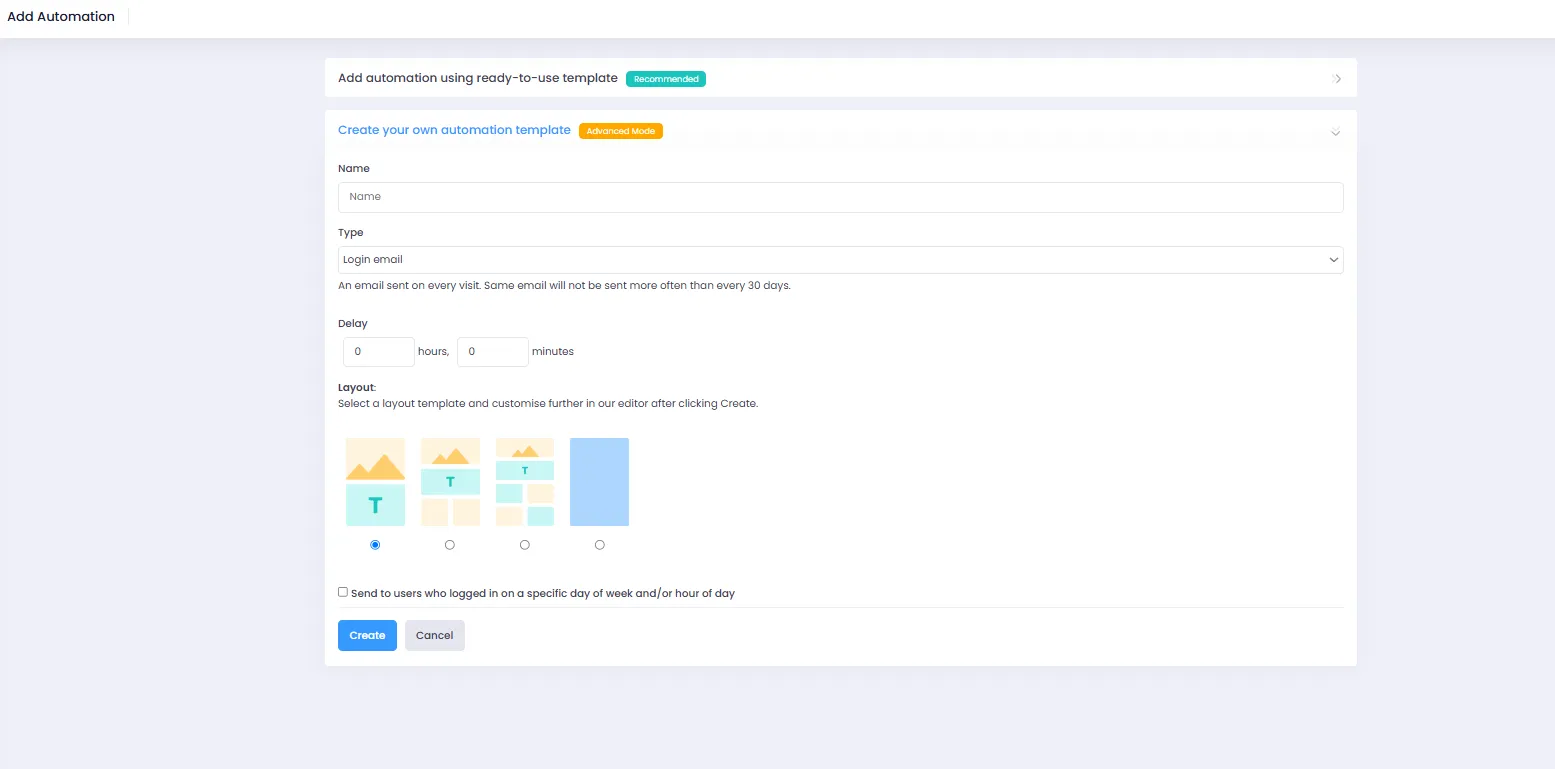
3) Press Create your own automation template.
4) Choose the layout and delay you’d like to use - you will be able to change them at any time.
How to use the Advanced Email Editor?
Please take a look at our in-depth video explaining how to make use of the capabilities of our Advanced Email Editor: