
Send yourself a test email
Esta página aún no está disponible en tu idioma.
To preview an Automation or Bulk Campaign or send yourself a test email, open the Email Marketing tab in the Dashboard.
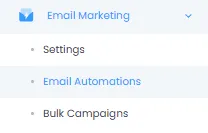
Next, go to Email Automations or Bulk Campaigns, depending on which type of email you’d like to preview. The process and interface is identical for both.
From there, find the relevant email campaign and press the Preview icon.

You will now see a preview of the campaign. If you want to send yourself a test email, press Send preview email or the cogwheel if you want to change the receiving address.

Go to your inbox where you’ll find the test email delivered.