
Setting up your first AnyDesk session
This guide assumes that AnyDesk is already installed. If it isn’t, download it from:
https://anydesk.com/en/downloads
1. Things to do before establishing the session
- Make sure the internet connection is stable. The best way to assure a stable connection is to plug in an Ethernet cable.
- Make sure the computer is logged in. When the session takes place, the device is configured on the local computer, accessed through AnyDesk. Access to the whole operating system is necessary.
2. Establishing the session
As soon as you log in, this window should appear:
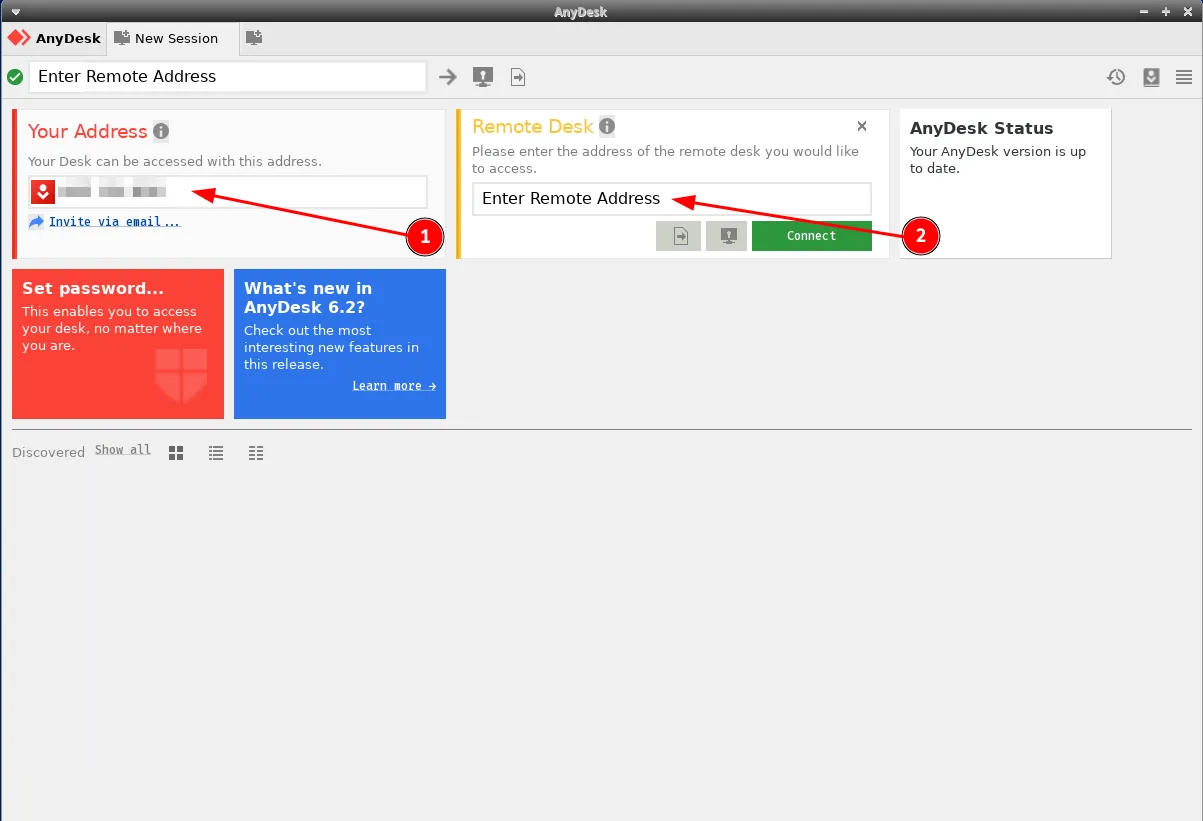
- Your Address - to set up a session with someone, give them this address. It should be 9 digits long.
- Remote Desk - enter the other party’s address here to establish a session with them.
If everything was done correctly, pressing the Connect button establishes the session. If someone is calling you, a pop-up window appears:
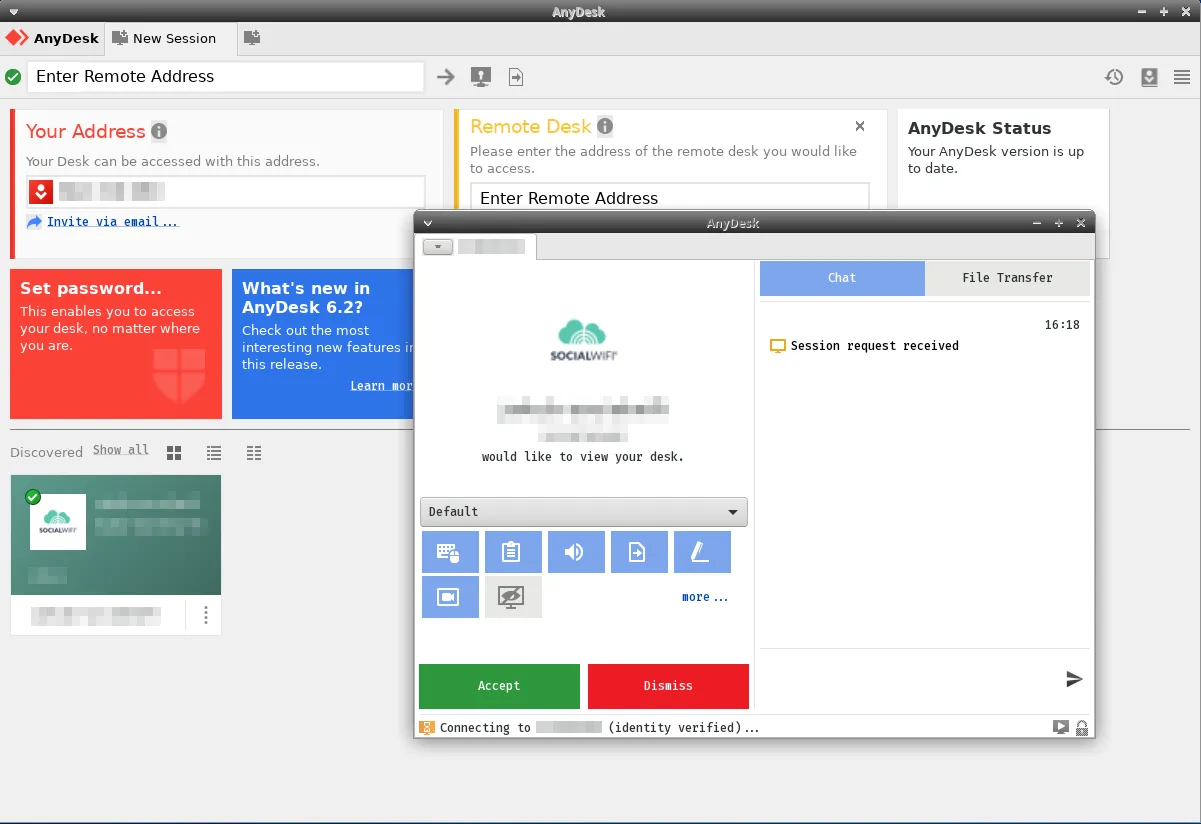
Clicking the green “Accept” button starts the session.