
Recaptcha Issues
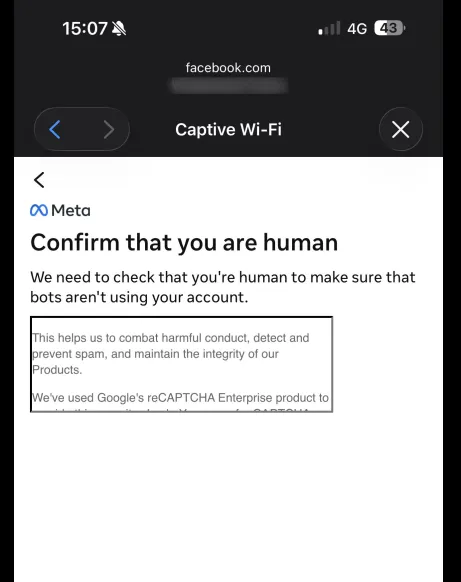
Google reCAPTCHA is a security check that may occasionally appear on the login page, for example before signing in with Facebook. It is shown selectively to block automated traffic, so most users will never see it, while others may be asked to complete it during a session.
The reCAPTCHA widget loads directly from Google’s servers. If the required addresses are not allowed in the Walled Garden, the widget cannot load. In that case the challenge appears blank or broken and cannot be completed, so the login is blocked and the user cannot sign in, for example through Facebook.
Solution
To make sure reCAPTCHA loads and works correctly, add the following two addresses to the Walled Garden configuration on the router or access point:
www.google.comwww.gstatic.comThese two entries are the tested minimal and safe set. They allow the widget not only to load, but also to function correctly, so the user can complete the challenge and continue with the login.
After adding the addresses, reload the login page and complete the reCAPTCHA challenge to confirm it displays and works as expected.
More about reCAPTCHA
reCAPTCHA comes in several versions and challenge types, which is why the widget may look or behave differently for different users. For more details, see Google’s official documentation: