
Controller Access for Social WiFi
The Social WiFi panel requires a username and password to access the UniFi controller. To avoid sharing personal controller credentials, create a dedicated “API account” using the steps below.
Step 1 - Create a New User Account
Go to the People tab (1) and click Create New (2).
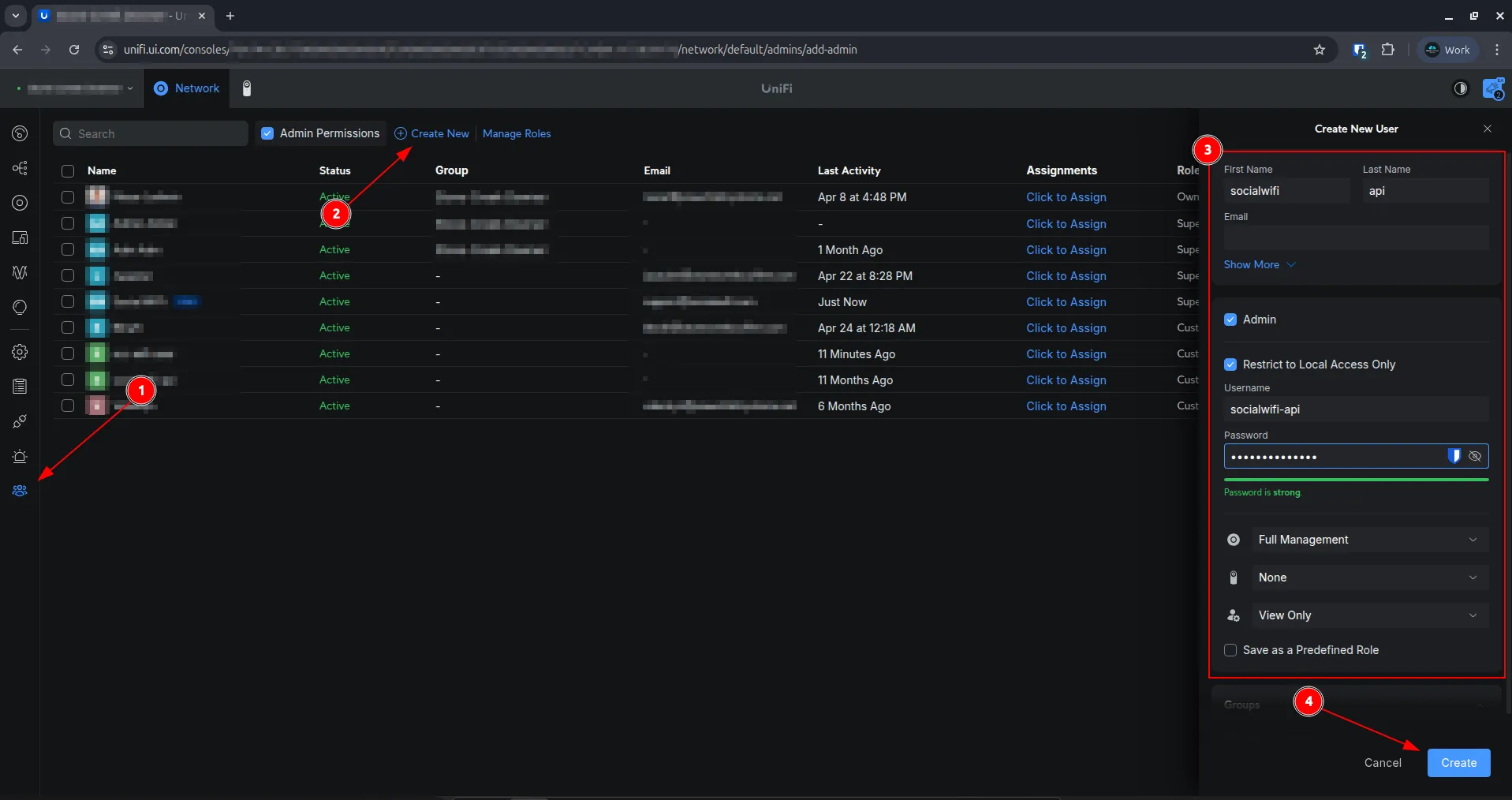
In the dropdown that appears, click Create New User and fill in the fields as shown below. (3)
| First Name | Any name you prefer |
|---|---|
| Admin | Checked |
| Restrict to Local Access Only | Checked |
| Username | socialwifi-api |
| Password | Set a secure password for this account |
| Use a Predefined Role | Unchecked |
| Network | Full Management |
| Protect | None |
| OS Settings | View Only |
| Save as a Predefined Role | Unchecked |
Step 2 - Save and Share the Credentials
Click Create (4) to save the new account.
Use this account’s credentials in the Social WiFi panel instead of personal controller credentials.